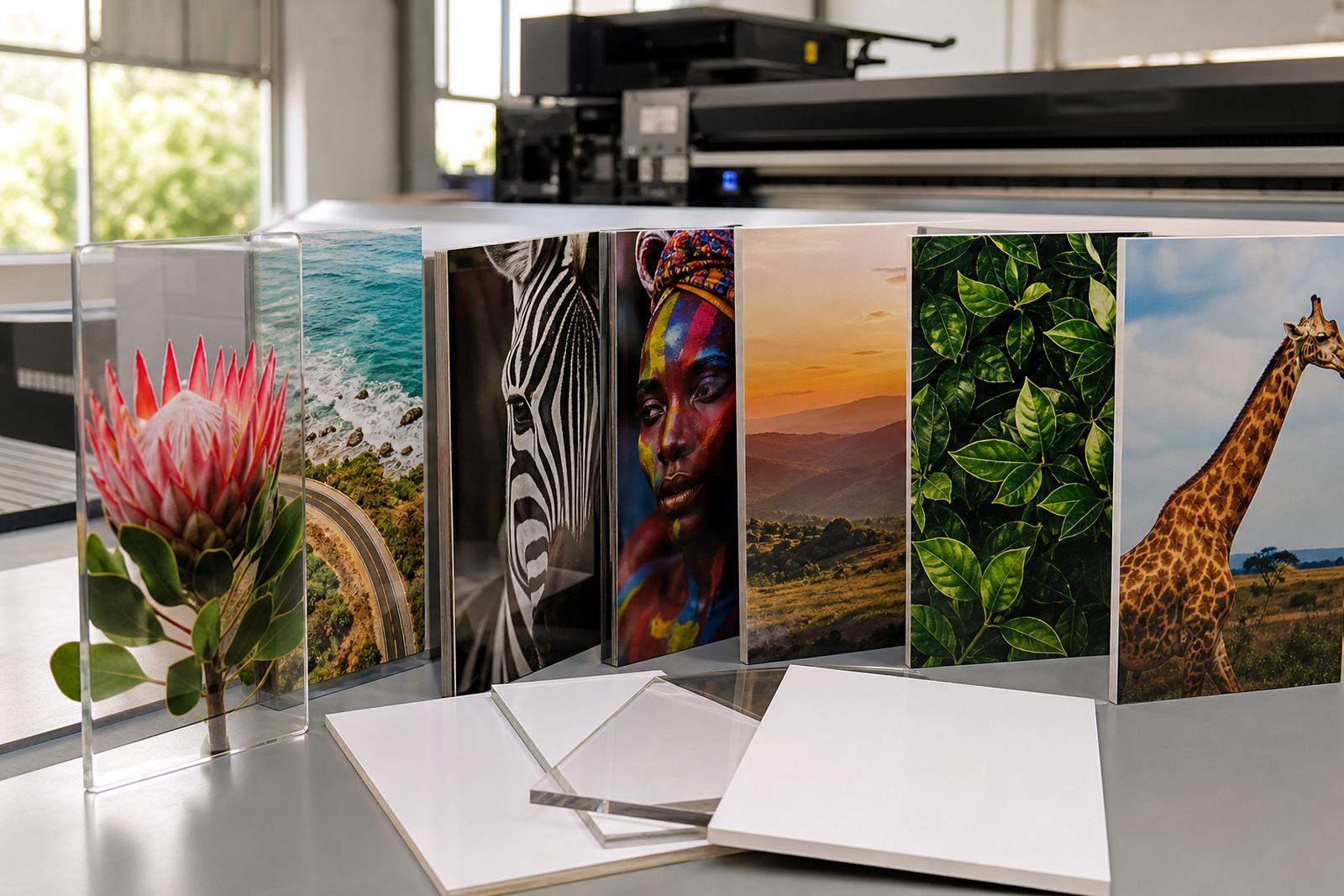
Why White Ink Matters On Rigid Boards
White ink is used as an underlayer, highlight layer, or top layer depending on the job and the media. On rigid boards it helps colours hold their brightness instead of sinking into dark, clear, or uneven surfaces. That makes a real difference on PVC board, acrylic, foam board, corrugated plastic, and many display substrates used for signage, point of sale, and short run promotional work.
For busy print rooms in Germiston, Johannesburg, Pretoria, Durban, Cape Town and Gqeberha, white ink also helps when clients want the same artwork to work across different boards. A design can be prepared once, then adapted for light, dark, or transparent stock with proper layer control. It saves time in quoting and reduces surprises during production.
Used well, white ink is not only about appearance. It helps with legibility, edge detail, and brand consistency. It can also support a more practical workflow when the final piece must be viewed from a distance, mounted in bright light, or matched to existing signage on site.
When To Use White Ink, And When To Leave It Out
Not every job needs white. The first step is to look at the media, the viewing distance, and whether the customer needs full colour opacity or just a subtle effect. On white boards, white ink may not be needed at all unless you are building texture, spot details, or a special print effect. On clear or coloured rigid media, it often becomes essential.
Use white ink when you need:
- Strong colour on dark or transparent boards
- A crisp backing layer behind spot colour artwork
- Readable text on tinted media
- Controlled opacity for double sided or reverse viewing applications
- Layered graphics for special display work
Leave it out when the substrate already gives you enough brightness and the extra layer would add cost or production time without improving the result. For municipal signage, event boards, retail panels and internal displays, the best choice is often the simplest one. A careful media test helps you avoid wasting board and ink.
Planning The Layer Order Before You Print
White ink works best when the layer order is planned before the job starts. That means deciding whether white sits below the colour, inside the artwork, or above it. The wrong order can weaken detail, hide fine type, or leave the final piece looking patchy. Good workflow planning starts with the finished look, then works backwards to the file setup.
Check artwork for transparency, overprints, and hidden shapes. Make sure the white plate matches the colour plate and the cut or trim line if the board needs finishing after print. If the client wants a clean edge to a logo or a bright window facing graphic, ask for the intended viewing side upfront. It is easier to prepare once than to fix a job after it has been sent to print.
A simple pre press checklist helps the team stay consistent:
- Confirm the media type and finish
- Check whether the board is white, coloured, clear, or textured
- Decide if white is a flood coat, spot underbase, or highlight layer
- Review artwork for small text and fine lines
- Confirm curing and handling time before packing
Media Testing For Better Colour And Opacity
Media testing is the safest way to judge how white ink behaves on a new board. Different rigid materials take ink differently, especially when you move between suppliers, thicknesses, surface coatings, or batches. A surface that looks smooth in the store may show grain, static, or slight unevenness once it reaches the printer. That is common on jobs that travel inland from the coast or sit in storage during humid weather.
Test small sections before you commit to a full board run. Print a white swatch, a solid colour block, a small text sample, and a fine line area. This shows you whether the white is dense enough, whether the colour sits cleanly on top, and whether the surface needs extra care during handling. If the media cups, scratches easily, or holds dust, that should be known before the full job starts.
When the sample looks right, note the board type, print order, and handling steps for next time. A good sample file becomes part of your production record and cuts down on repeat problems.
Handling Ink, Curing, And Clean Workflow
White ink needs careful handling because settling, agitation, and cleanliness all affect print consistency. Keep ink handling tidy and follow the machine maker’s approved procedure for shaking, circulation, or mixing. Never rush the setup. A quick job can still fail if the white is not ready or if the print head path is dirty.
Pay attention to curing and post print handling too. The job should come off the bed in a condition that can be moved, stacked, or trimmed without marking the surface. In many South African print rooms load shedding means you also need a plan for interruptions. If power drops mid job, a clear restart routine protects both the board and the print queue.
Good daily habits include:
- Wiping dust from boards before loading
- Checking head height and board flatness
- Keeping hands clean during handling
- Separating fresh prints from finished stock
- Recording any cure, adhesion, or colour issues
These small steps protect output quality and reduce reprints, which matters when deadlines are tight and boards need to go out for installation the same day.
Choosing White Ink Jobs That Add Real Value
White ink should improve the job, not complicate it. The best applications are usually the ones where the message must stand out at a glance. Think retail panels, directional boards, event graphics, exhibition pieces, and premium display work on rigid media. White can also be useful for layered effects where a client wants texture or a bright shape to hold attention on a dark substrate.
Before quoting, ask a few practical questions. Is the board going indoors or outdoors. Will it be viewed close up or from across a room. Does the client need one side or both. Will the piece be fixed to a wall, free standing, or moved between sites. These answers shape the ink coverage, the media choice, and the finishing steps.
For shops that need support across South Africa, from East Rand sites to Centurion offices and coastal installs, a white ink job often benefits from site preparation and operator training as much as the print itself. If the team understands why the layer is there, they make better decisions on the floor and fewer mistakes in production.
Quick Checklist Before You Send A White Ink Job
Use this final check before the file goes into production. It keeps the job moving and gives the operator a clear plan.
- Is the media suitable for white ink
- Has the viewing side been confirmed
- Is the white layer set as intended in the file
- Have you checked opacity with a sample if needed
- Are curing, trimming, and packing steps clear
- Has the customer approved the final look and finish
White ink is most useful when the team treats it as part of the whole workflow, not just a special effect. With the right planning, it becomes a dependable way to improve colour, contrast, and presentation on rigid signage jobs.