Why clear sheets need a different print plan
Printing on transparent rigid media is not the same as printing on white boards. The ink is doing more than building colour, it also has to create opacity, definition and clean edges against whatever sits behind the sheet. That means every stage matters, from unpacking the substrate to the final cure.
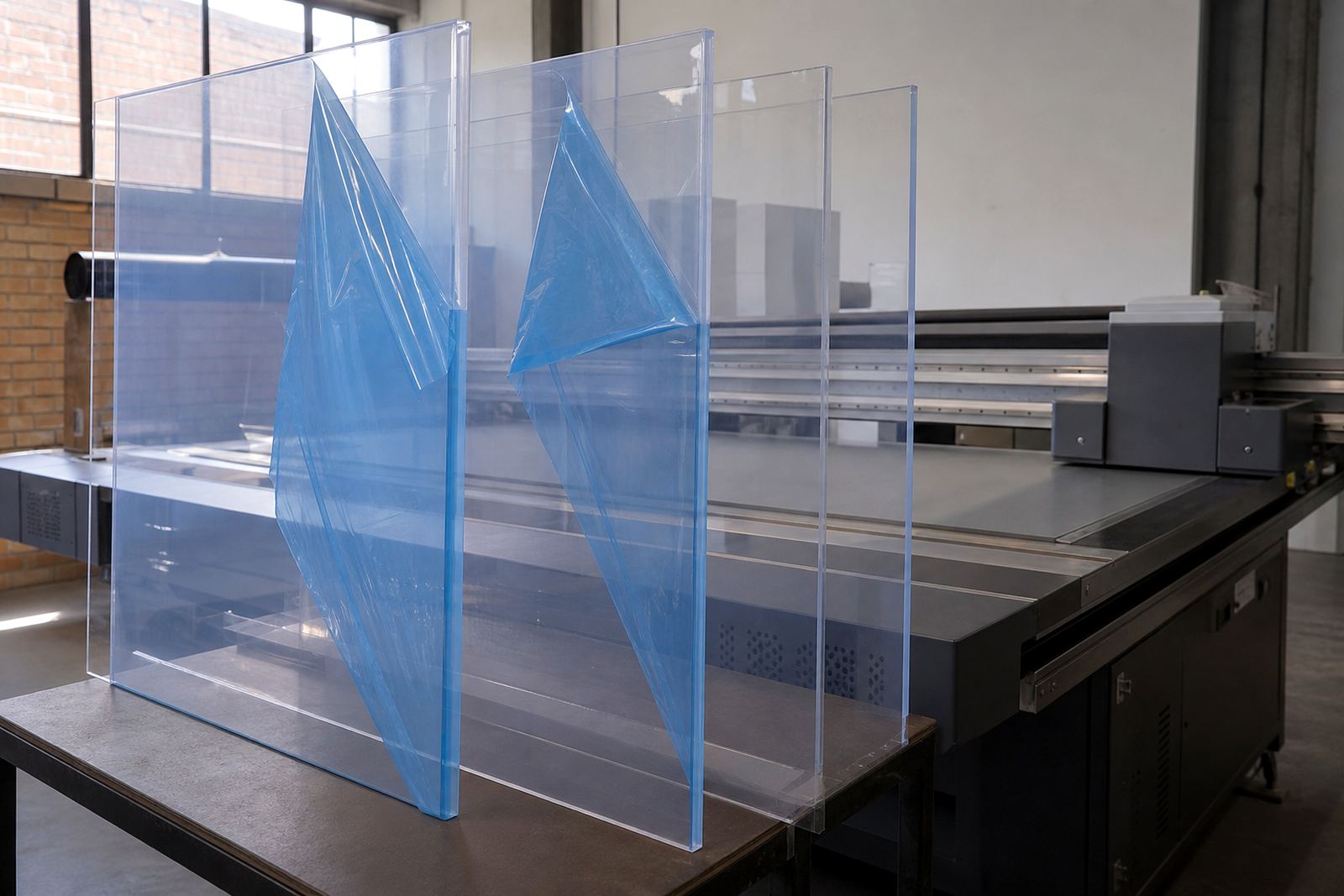
Clear materials are often used where light passes through or where the background is part of the finished look. Think retail windows, illuminated displays, interior panels and directional signage. If the sheet is scratched, dusty or slightly warped, those faults become more obvious once the artwork goes on.
For that reason, the workflow should start with inspection and planning. Check each sheet for haze, surface tension issues, protective film residue and corner damage. If a job is urgent, dont rush that step. One bad panel can waste time, ink and media all at once.
Inspecting rigid clear media before the job starts
Good results start on the cutting table or pallet, before the sheet reaches the printer. Clear boards can pick up fingerprints, fine dust and moisture from storage, especially in humid coastal areas such as Durban or Gqeberha. In Gauteng, dust from transport and handling is often the bigger problem. Either way, a clean surface is non negotiable.
Use a simple pre print routine:
- Check the sheet under angled light for scratches, ripples and adhesive residue.
- Make sure the protective layer, if present, is removed or left in place only where the process allows.
- Wipe with a suitable antistatic method so dust does not cling again immediately.
- Confirm the board is flat enough for the job and allow it to acclimatise to the room.
Flatness matters because even a slight lift can change head height and affect drop placement. A sheet that looked fine in storage may move once it sits under workshop conditions for an hour or two.
Choosing ink build for opacity and clarity
Clear media asks for careful ink control. If the print is meant to show colour strongly, the ink build may need a solid underlayer or multiple passes. If the job is meant to stay soft and translucent, the approach changes completely. The operator has to know what the artwork is supposed to do before pressing print.
On transparent boards, white ink is often used as a base or as a highlight layer. That helps logos, text and graphic blocks stand out against glass, acrylic or other clear materials. Without the right underlayer, colours can look weak or disappear when the light changes. In shopfront work, that difference is easy to see from the street.
Ink handling also matters. Keep containers closed, stir or circulate as required and watch for sediment or contamination. If the shop floor is busy, label opened containers clearly and avoid topping up from mixed sources. Small handling mistakes can show up as pinholes, banding or poor adhesion later on.
Workflow choices that keep the surface clean
A clean print room routine is essential when working with transparent rigid sheets. These materials show dust, overspray and handling marks far more than a white board does. Even a small speck can catch the light and distract from the final sign.
Practical workflow habits help a lot:
- Load sheets in a sequence that reduces touching the print face.
- Keep cutting, drilling and printing areas separate where possible.
- Use lint free cloths and approved cleaning methods only.
- Plan the print order so larger panels are not waiting around exposed to dust.
For busy production teams, it helps to assign one person to final surface checks before a board goes onto the machine. That extra set of eyes catches residue, labels, tape marks and uneven edges that can spoil the finish. A few seconds of inspection saves reprints later.
Curing and post print handling without damaging the finish
Curing is not just about drying the ink. On clear media, it affects adhesion, surface feel and how the finished sign will hold up in use. Too little cure can leave the print tacky or vulnerable to scuffing. Too much heat or poorly balanced curing can affect the substrate or leave unwanted distortion.
After printing, handle the board with care. Set it down on clean, level supports and avoid stacking prints face to face unless the process allows it. If the job includes cutting, drilling or mounting, let the ink settle properly first. Rushing into finishing work can lead to edge damage or lifting around holes and corners.
In South African conditions, storage also matters. A panel moved from a cool indoor room into a hot van can pick up condensation or surface stress, especially in coastal humidity. Keep finished work covered and transport it flat where possible.
A Germiston example from shopfront work
A common local job starts in Germiston and ends on a site in Johannesburg or Sandton, where a clear panel is needed for a reception sign or internal graphic. The artwork may look straightforward on screen, but the production team still has to check the substrate, test the ink build and confirm how the panel will sit against the wall or glass. If there is backlighting, the colour balance changes again.
In that kind of job, planning the workflow early makes the difference. The team might test a small area for adhesion, confirm the white ink coverage and check whether the final piece needs edge finishing or mounting holes. Site preparation matters too, especially where municipal rules, building access or tenant requirements affect installation time.
When the sequence is right, the panel arrives on site ready to fit, with less chance of touch ups or last minute problem solving. That is useful whether the work is going to Pretoria, Cape Town, Durban or a smaller town on the route out from Gauteng.
When to ask for technical help before printing
Some clear media jobs are simple, but others need a closer look before production starts. If the board size is unusual, the surface treatment is unknown or the result needs very specific colour control, it is worth checking the setup first. That is especially true when a client wants repeat work across multiple branches and every panel has to match.
Technical support can help with printer installation, site preparation, operator training, workflow planning, colour guidance, preventive maintenance, breakdown support, remote support, ink handling help, media testing, spares coordination and production consulting. For a business in the East Rand or Centurion, that kind of support can reduce downtime and keep clear media jobs moving.
Flatbed UV work is not about guesswork. It is about measuring the surface, confirming the print sequence and making sure every stage suits the material in front of you.